


My Tracfone: Account Manager
3.120.56K Reviews
App Specs
- Version
- R27.7.0
- Updated On
- License
- Free
- Downloads
- 5,000,000+
- Developer
- TracFone Wireless, Inc.
- Categories
- Communication
- Platform
- Android, iOS
Screenshots
 Analysis by AppCompare
Ever found yourself juggling multiple phone accounts and wondering if there’s an easier way to keep everything in check? Well, I recently took a deep dive into My Tracfone: Account Manager, and let me tell you, it might just be the handy tool you’ve been looking for.
Who benefits most from a carrier account app?
I see the clearest fit for someone who already uses TracFone and wants a quick way to check service details without treating account management as a separate chore. It is a communication app from TracFone Wireless, Inc., rather than a general phone utility, so its usefulness depends on having a TracFone account to manage. If you use another carrier, this app will not replace that provider’s account tools.
The practical benefit is less about doing something exciting and more about avoiding small surprises. A person who keeps an eye on remaining data, minutes, texts, or service time can use an account overview to decide whether to refill now or wait. That is especially useful for someone on a budget or for a family member who helps an older relative keep a phone active.
There is a trade-off, though: an account app is only as useful as the information it can show at the moment you need it. I would still treat it as a convenient place to check service, not as a replacement for keeping important account details somewhere secure or confirming a high-stakes issue with customer support.
How it compares with carrier websites and general account tools
Compared with opening a carrier website in a mobile browser, a dedicated app can make routine checks feel more direct: tap the app, sign in, and look for the account information you need. That convenience matters when you are checking service while away from home. A website may still be preferable when you are handling a task that needs a larger screen or when you are already using a computer.
It also differs from general budgeting apps. Those can help you record spending across services, but they do not serve as a TracFone account dashboard. Conversely, this app’s transaction history can help you review account activity, while a separate budget tool may be better for comparing phone expenses with rent, groceries, or other household costs. I would not expect one tool to replace the other.
If you manage several lines, make a habit of checking which account is open before changing service or reviewing a transaction. That small pause can prevent confusion when you are helping someone else. For a person with only one line, the app’s main advantage is simply having the account view close at hand rather than searching through browser bookmarks or messages.
Worth Reading Before You Choose

EA SPORTS FC Mobile 26 Is a Bigger Football Game, but It Takes Time

Flipboard Shows What News Apps Must Do Beyond the Feed

Switching to Android Auto Means Rethinking Your Driving Routine

Google Calendar Makes a Crowded Week Easier to Manage

Ludo King Makes the Most of the Minutes Between Plans

Baby Panda World Brings Quick Play to Modern Phones, but Its Game Library Feels Busy
A realistic check-in before a busy day
Imagine you are heading out for the day and expect to use maps, messaging, and calls. Before leaving, you can open the account view and check your remaining service, then decide whether you need to refill. If you recently added service, reviewing transaction history can also help you confirm that the account reflects the activity you expected. It is a simple routine, but it turns a vague worry about running short into a more informed decision.
For a family member helping someone else, the same workflow can be useful before a trip or appointment: check the account together, make sure the service looks sufficient for the day, and keep the person who owns the account involved in any changes. I would avoid making a refill decision based only on habit; check the current balance first, since usage and service needs vary.
Notifications can help draw attention to account events, but I would not rely on an alert as the only reminder for a time-sensitive need. A practical backup is to check the app directly when service is important, especially before travel or a stretch when you may not have easy access to Wi-Fi. That is not a claim that alerts fail; it is simply a sensible way to avoid making a phone’s availability depend on one reminder.
What to do when a check or refill is inconvenient
Account apps are most valuable when they save time, but a slow connection can make a quick check less convenient. If a page takes longer than expected, I would first confirm that the phone has a working internet connection, then reopen the relevant account screen rather than repeatedly tapping controls. For an account change or refill, it is wise to wait for a clear confirmation before trying again, so you do not create uncertainty about whether the action went through.
If the app does not resolve a complicated account question, use its help area as a starting point and contact customer service for matters that need a person to review the account. Keep the details of the issue handy, such as what you were trying to do and what you saw, but avoid sharing sensitive account information anywhere other than an appropriate support channel. That approach is more useful than repeating the same in-app action without knowing what happened.
The app is free, which makes trying it a low-commitment choice for an existing customer, though the service decisions you make through an account tool are separate from the app itself. Its Everyone age rating makes it broadly accessible, but account ownership and payment choices still call for adult oversight when a child uses the device.
Getting Started with My Tracfone
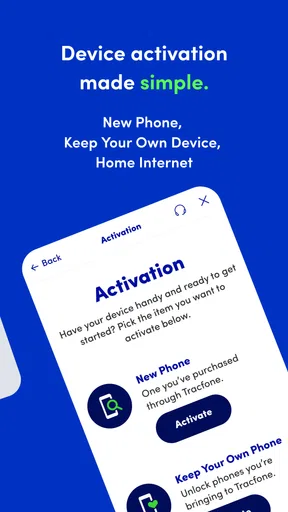
First things first, you’ll want to download the app. Simply head over to the Google Play Store or the Apple App Store, search for My Tracfone, and hit that download button. Installation is straightforward, and before you know it, you’re ready to manage your account with just a few taps.
Once you open the app, you’re greeted with a clean and intuitive interface. No need to worry about getting lost in a sea of menus; everything is right where you’d expect it to be. The app is designed with user-friendliness in mind, making it accessible even if you’re not the most tech-savvy person out there.
Features That Stand Out
So, what can you actually do with My Tracfone? Quite a bit, actually. Here’s a quick rundown of the features that really caught my eye:
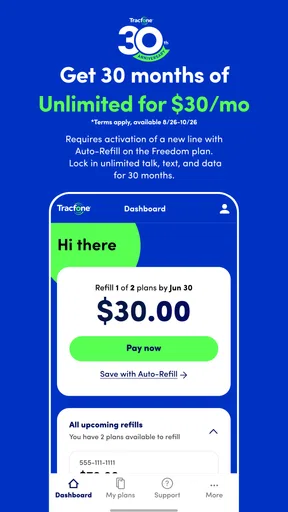
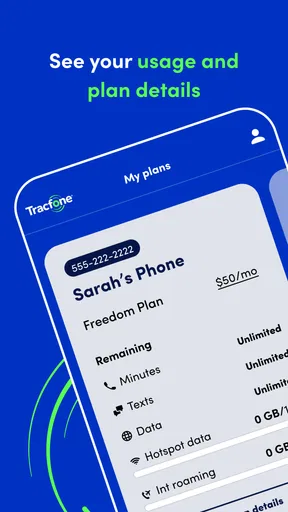
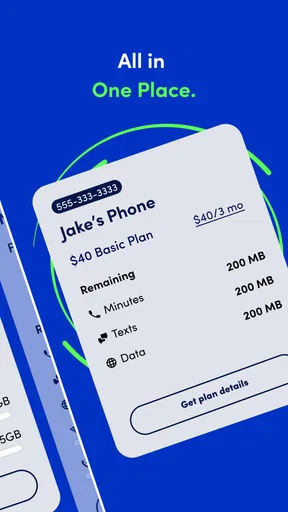
- Balance Overview: Keep track of your data, minutes, and texts all in one place. No more guessing how much you have left; it’s all right there at your fingertips.
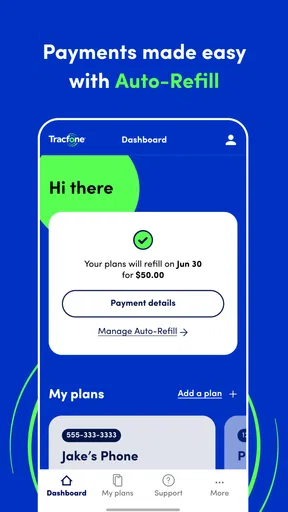
- Service Refills: Need to add more service days or top up your balance? The app lets you do it with just a few taps. It’s as easy as pie.
- Transaction History: Want to see what you’ve been spending? The transaction history feature is perfect for tracking your expenses and staying on top of your budget.
- Account Notifications: Never miss a bill or service renewal again with timely notifications that keep you informed.
Each feature is designed to make managing your phone service a breeze, and I must say, they deliver on that promise.
Ease of Use and Accessibility
The developers did a splendid job making sure the app runs smoothly. Whether you’re using an Android or iOS device, the performance is top-notch. I tested the app on both platforms, and it was consistently fast and responsive. Plus, the app supports multiple languages, which is a nice touch for non-English speakers.
One thing I particularly appreciated was the accessibility features. For those with visual impairments, the app is compatible with screen readers and offers adjustable text sizes, ensuring everyone can use it without any hassle.
A Few Things to Note
While My Tracfone offers a lot of conveniences, there are a couple of things to keep in mind. For instance, you’ll need a stable internet connection to access all the features. Also, some users have reported occasional glitches, but the good news is that updates are regularly rolled out to address these issues.
Another point worth mentioning is the customer support feature. While the app does include a help section, more complex issues might still require you to contact customer service directly. But don’t worry, the support team is generally responsive and helpful.
Speed, stability, and device fit
The app has been available since Oct 17, 2013, and its current version is R27.5.0. Those details suggest an established account tool that continues to be maintained, but they are not a guarantee that every screen will feel instant on every phone. In practice, the most important speed factor for this kind of app is often the connection between the device and the account service, not just the handset’s raw power.
For a quick balance check, a short wait is tolerable; during a refill or account review, I would rather see a clear result than a rushed screen that leaves me guessing. If the app seems stuck, give it a moment and check the connection before repeating an account action. This is a useful distinction: a delayed display can be frustrating without necessarily meaning that the account itself has changed incorrectly.
At an average rating of 3.1 from around 56,000 ratings, user sentiment is mixed rather than universally enthusiastic. That is worth keeping in perspective. Account apps tend to be judged harshly when something important is hard to access, so I would pay attention to whether the core tasks you need—checking service and handling a refill—work reliably for you, rather than assuming the rating predicts your exact experience.
It has over 5 million installs and around 20,000 written reviews, so it is not an obscure tool. Still, broad adoption does not remove the possibility of occasional glitches. I would keep a backup route in mind for urgent account questions, particularly if a trip or workday depends on having service, instead of making the app the only way you can reach help.
Older phones and practical expectations
The minimum operating system is 7.0. If your phone can run the app, that alone does not tell you how responsive it will feel: available storage, background activity, and connection quality can all affect the experience. I would close out of a stalled session and try again after checking connectivity before concluding that the device is incapable of handling account management.
For someone using an older phone, the app’s focused purpose is an advantage: checking an account is a lighter task than editing media or playing a demanding game. But I would not promise low battery use or a particular loading time without testing the exact device and network. If you are trying to conserve data or power, open it when you have a stable connection and do the account check in one session rather than repeatedly refreshing.
The same caution applies to accessibility and language needs. The published description of the interface may sound simple, but people rely on different text sizes, screen readers, and language settings. Since those needs can vary by phone and operating system, I would test the screens you use most and make sure the balance and refill steps are comfortable before depending on them for an urgent task.
When a different approach is better
My Tracfone makes the most sense when you are already a TracFone customer and want a mobile route to account checks. If you need to compare plans across providers, manage a household budget in detail, or resolve a complicated service dispute, a carrier representative, a browser on a larger screen, or a separate budgeting tool may suit that particular job better. The app is a convenient account companion, not a universal solution for every phone-related decision.
It may also be the wrong fit if you do not want to manage service from a phone or if you rarely need to check balances. In that case, using the carrier’s other available account channels may be enough. I would install it for recurring checks or refills, not simply because every service has an app.
Final Thoughts
All in all, My Tracfone: Account Manager is a solid choice for anyone looking to simplify their phone account management. It’s packed with practical features, user-friendly, and available for both major mobile platforms. If you’re a Tracfone user, this app is definitely worth checking out. So, go ahead and give it a try; managing your account has never been easier!
My own recommendation is to judge it by the routine you actually need: check a balance, review account activity, and see whether a refill is straightforward on your phone. If those everyday jobs are smooth, the app earns a useful place on your device. If an account issue is urgent or unusually complex, do not let convenience keep you from using another support route. That balance—quick self-service for ordinary tasks, human help when the stakes are higher—is the most realistic way to get value from it.
Pros
- User-friendly interface.
- Quick account balance check.
- Easy refill options.
- Secure login process.
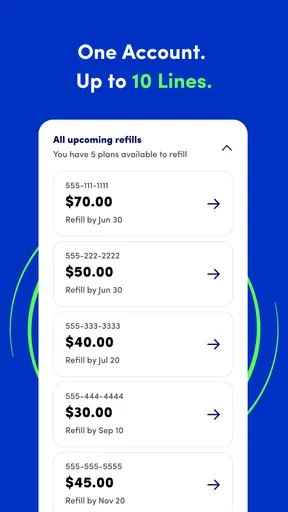
- Supports multiple lines.
Cons
- Occasional login issues.
- Limited customer support.
- Ads can be intrusive.
- Features require stable internet.
- No dark mode option.
FAQs for My Tracfone: Account Manager
What features does the My Tracfone: Account Manager app offer?
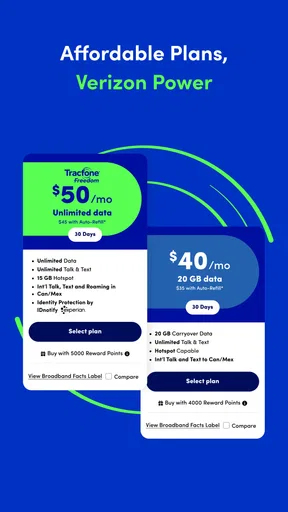
The My Tracfone: Account Manager app provides a variety of features designed to streamline your mobile experience. Users can easily check their balance, add airtime, manage their account settings, and track data usage. The app also offers customer support access and the ability to purchase service plans directly, ensuring convenience and control over your mobile services.
Is the My Tracfone app compatible with both Android and iOS devices?
Yes, the My Tracfone: Account Manager app is compatible with both Android and iOS platforms. Users can download the app from the Google Play Store for Android devices and the Apple App Store for iOS devices. Ensure your device meets the minimum system requirements for optimal performance and access to all features.
How secure is the My Tracfone app for managing my account?
The My Tracfone: Account Manager app prioritizes user security by implementing robust security measures. It uses encryption to protect your personal and financial information. Additionally, users are advised to enable two-factor authentication and regularly update the app to benefit from the latest security enhancements and features.
Can I manage multiple Tracfone accounts with the app?
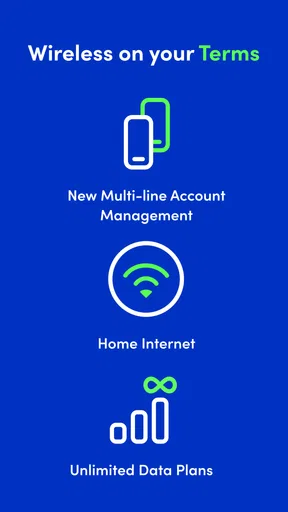
Yes, the My Tracfone app allows you to manage multiple accounts, making it convenient for families or users with multiple lines. You can switch between accounts easily within the app, monitor usage, and manage airtime for each line. This feature simplifies account management and ensures all your Tracfone services are accessible.
What should I do if I encounter issues with the app?
If you experience any issues with the My Tracfone app, the first step is to check for updates to ensure you have the latest version installed. If problems persist, you can contact Tracfone's customer support directly through the app for assistance. Their team is available to help resolve technical difficulties and answer any account-related questions.


